

When it comes to earphones, quality inevitably varies directly with a price – you pay more for better sound, you pay less, and you’re ready to compromise.
Sometimes, however, you come across an earphone that sounds surprisingly good despite a relatively low price.
Oppo is one of the leading manufacturers of Android smartphones and other accessories.
Recently, they launched a product OPPO Enco M31 wireless in-ear Bluetooth earphones with microphone, which are under the budget segment.
The Enco M31 is Oppo’s latest pair of wireless earphones. On paper, the Enco M31 appears to be fully featured, with support of Sony’s high-quality LDAC audio technology, Hi-Res Wireless Audio certification, IPX5 certified water resistance, and Ai-powered noise cancellation for voice calls, all at a relatively affordable price.
In this Oppo Enco M31 Wireless Headphones review, we will discuss Oppo Enco M31 and try to find out whether this product is worth buying or not?
- Oppo Enco M31 Wireless Headphone: Unboxing
- Oppo Enco M31 Wireless Earphone: Specifications
- Oppo Enco M31 Wireless Headphones: Design
- Oppo Enco M31 Wireless Headphones: Build Quality
- Oppo Enco M31 Wireless Headphones: Features
- Oppo Enco M31 Wireless Headphones: Battery Life
- Oppo Enco M31 Wireless Headphones: Control Button Functions
- How to Factory Reset the Oppo Enco M31 Wireless Headphones?
- Oppo Enco M31 Wireless Headphones: Sound Quality and Performance
- How To Connect or Pair Oppo Enco M31 Wireless Headphones To Laptop/Smartphones/Tablets
- OnePlus Bullets Wireless Z vs Oppo Enco M31 Wireless Headphones
- Price of Oppo Enco M31 Wireless Headphones
- Is Oppo Enco M31 Wireless worth it?
- Oppo Enco M31 Wireless Headphones: Color
- Final Verdict
Oppo Enco M31 Wireless Headphone: Unboxing
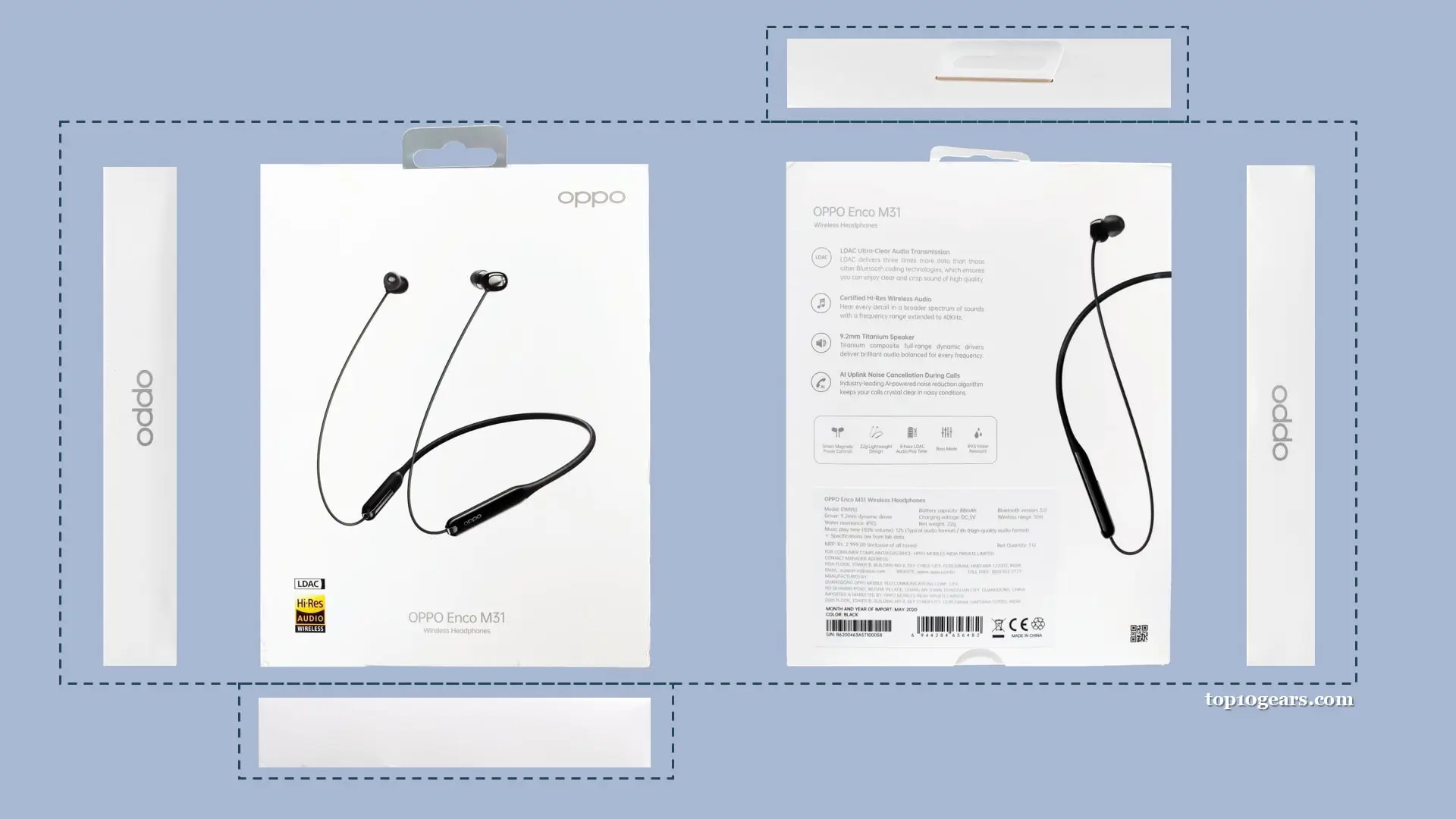
The Oppo Enco M31 Wireless box is designed in white. The box is covered in transparent glossy plastic cover and has a small simple look. The front side has a white background with black color graphics of earphone and on the left and right side of it, you get the silver color “oppo” printed.
On the top right corner, you have the silver colored oppo logo and on the backside of the box, you will get a writing with the features and specifications of this earphone. The oppo Enco M31 sits nicely into the box.
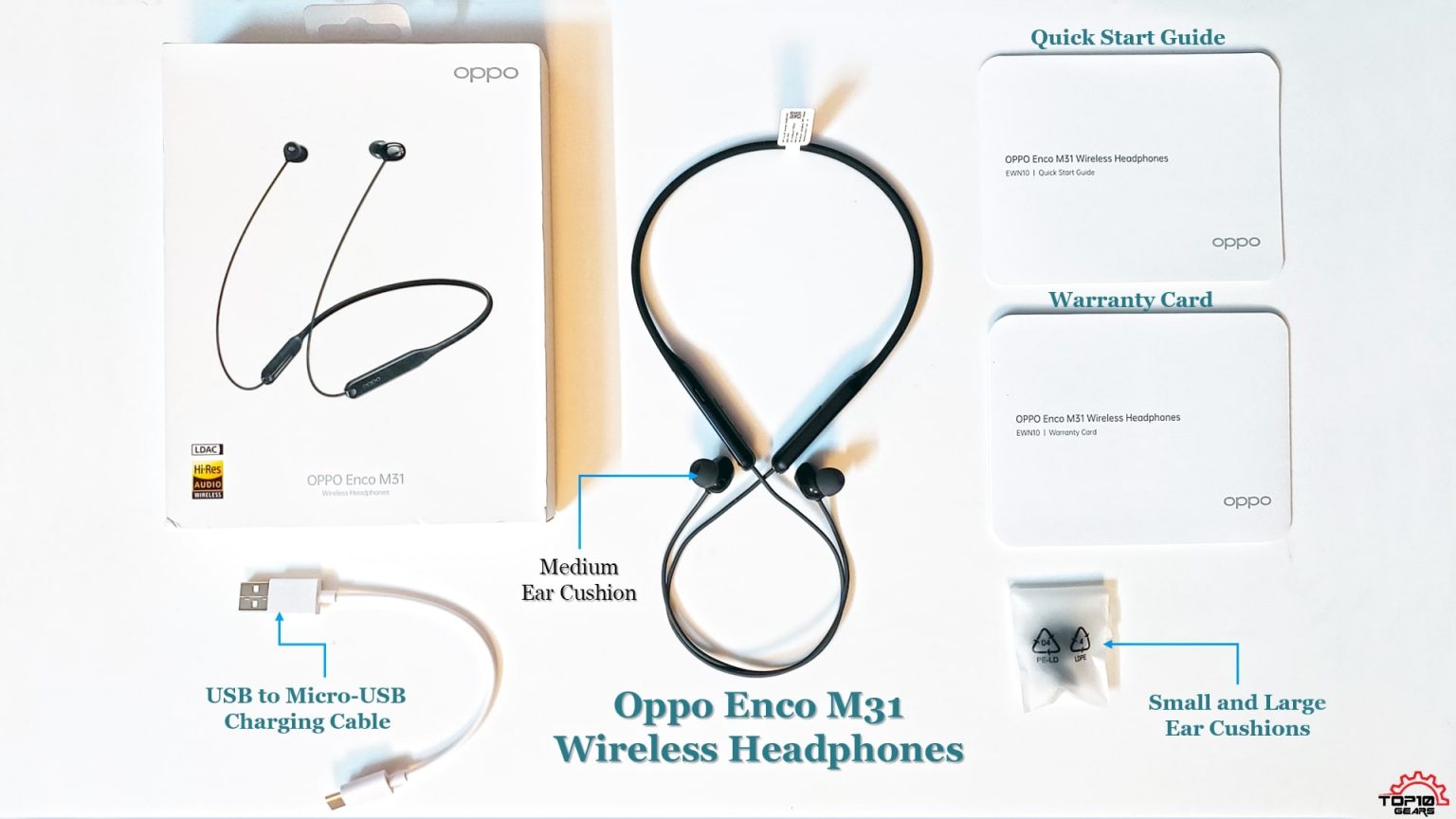
When we open the box, we find the Oppo Enco M31 itself, replaceable ear tips (small, and large). Another thing I found in the box is the charging cable, the USB type C cable that you can use to charge the Enco M31.
We also find the Warranty Card and a Quick Start Guide in the box. It contains all instructions on how to operate and use it efficiently.
Before we review this beautiful wireless in-ear Bluetooth device from Oppo, we must first take the Enco M31 out of the box. And know what’s in it.
1 Enco Free headphones
1 charging case
1 Type-C USB cable
2 extra pairs of earplugs
Warranty card
Quick start guide
Oppo Enco M31 Wireless Earphone: Specifications
| Specifications | Details |
|---|---|
| Driver | 9.2 mm dynamic drivers |
| Driver Sensitivity | 101.9 dB @1kHz |
| Frequency Response | 20 Hz – 20 kHz (44.1 kHz), 20 Hz – 40 kHz (LDAC 96 kHz, 990 Kbps) |
| Connectivity & Ports | Bluetooth 5.0 (Dual Mode), USB Type-C |
| Protection | IPX5 certified, Splash resistant |
| Frequency Band | ~2.4 GHz |
| Microphone Sensitivity | -38 dBV/Pa |
| Wireless Range | 10m |
| Battery | 88 mAh rechargeable lithium-ion battery |
| Battery Runtime | 12 hours in typical audio format, 8 hours in high-quality audio format, 6 hours Talktime |
| Charging Time | 1 hour |
| Compatibility | Android, iOS |
| Weight | 22 grams |
| Color | Black, Green |
| Warranty | 12 months manufacturer warranty |
Oppo Enco M31 Wireless Headphones: Design
The Oppo Enco M31 is a wireless Bluetooth earphone in the form of a neckband. They also have magnetized speakers, so when not in use, the two speakers snap together, hold together, and turn off at the same time.
The rubber neckband ends in elongated modules on either side that contain all the electronics, batteries and also controls on the left unit. The cables come from each side and lead to the compact earplugs on the other end.
The Enco M31’s design has two issues – which aren’t deal-breakers, especially at this price point – but can still be a bit annoying.
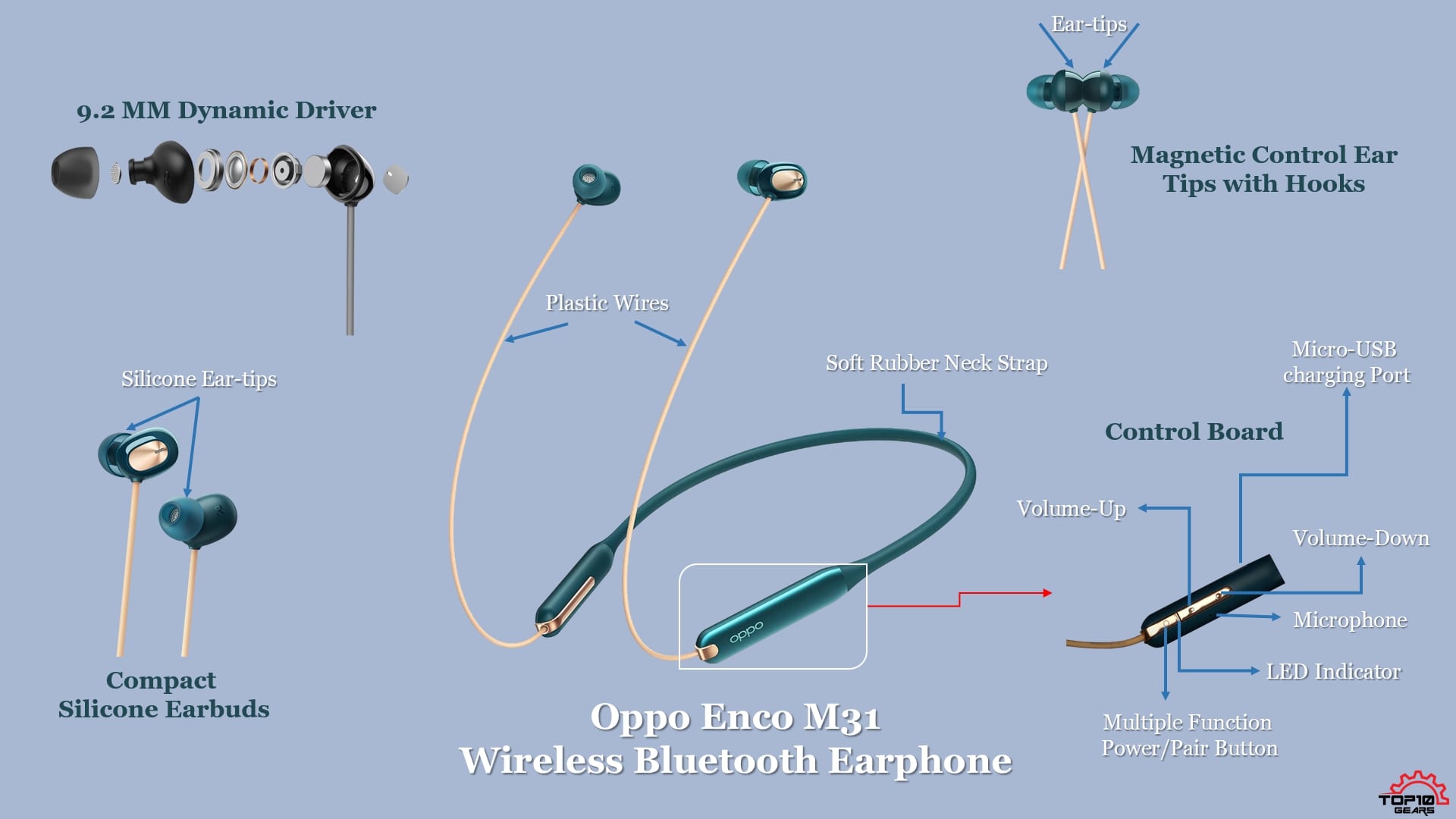
First, there is no easy way to distinguish the left speaker from the right with just one look before putting the band around your neck because the R and L letters are not visible easily. The earplugs are a bit small and not easy to recognize. The band itself looks pretty much the same from the outside, no matter how you hold it.
The easiest way to see if you are wearing it correctly is to run your fingers across the inside of the band to check for buttons, which are only on the left side but have a design similar to that of the right side.
This may sound like a nitpick, but after the seventh time they had been flipped the wrong way and had to be flipped, it got tiring pretty quickly. With most other neckband Bluetooth earphones, the controls are placed on the cable rather than on the neckband itself, making it easy to distinguish the left side from the right side. However, the cables on the Enco M31 look identical.
This is caused by Oppo placing the controls on the inside of the left module on the neckband, which is also the second problem I have with the design. In addition to being difficult to distinguish the left speaker from the right, the controls are also just plain difficult to use.
Controls on cables can be used with your thumb ԛuite easily, but this will require you to run your finger across the inside of your band until you find the buttons.
The layout of the buttons is also strange; the top button increases the volume, the middle button decreases the volume, and the bottom button controls playback. The buttons are ԛuite large, but the odd layout makes it difficult to get used to.
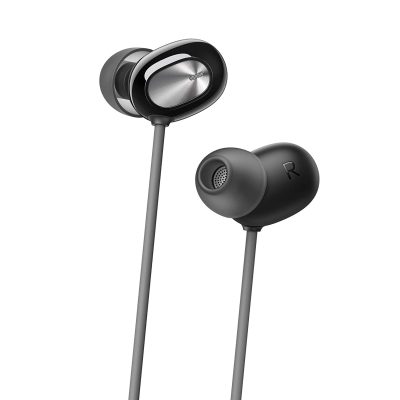
The earbuds at the end of the cables are some of the smallest I’ve used. The body of the earbuds is only slightly larger than the silicone earbud attached to it.
The whole thing fits completely flat in your earcup, and if the cables weren’t there, you wouldn’t even be able to see them from the front. This also means that you can lie on your side while wearing them in bed.
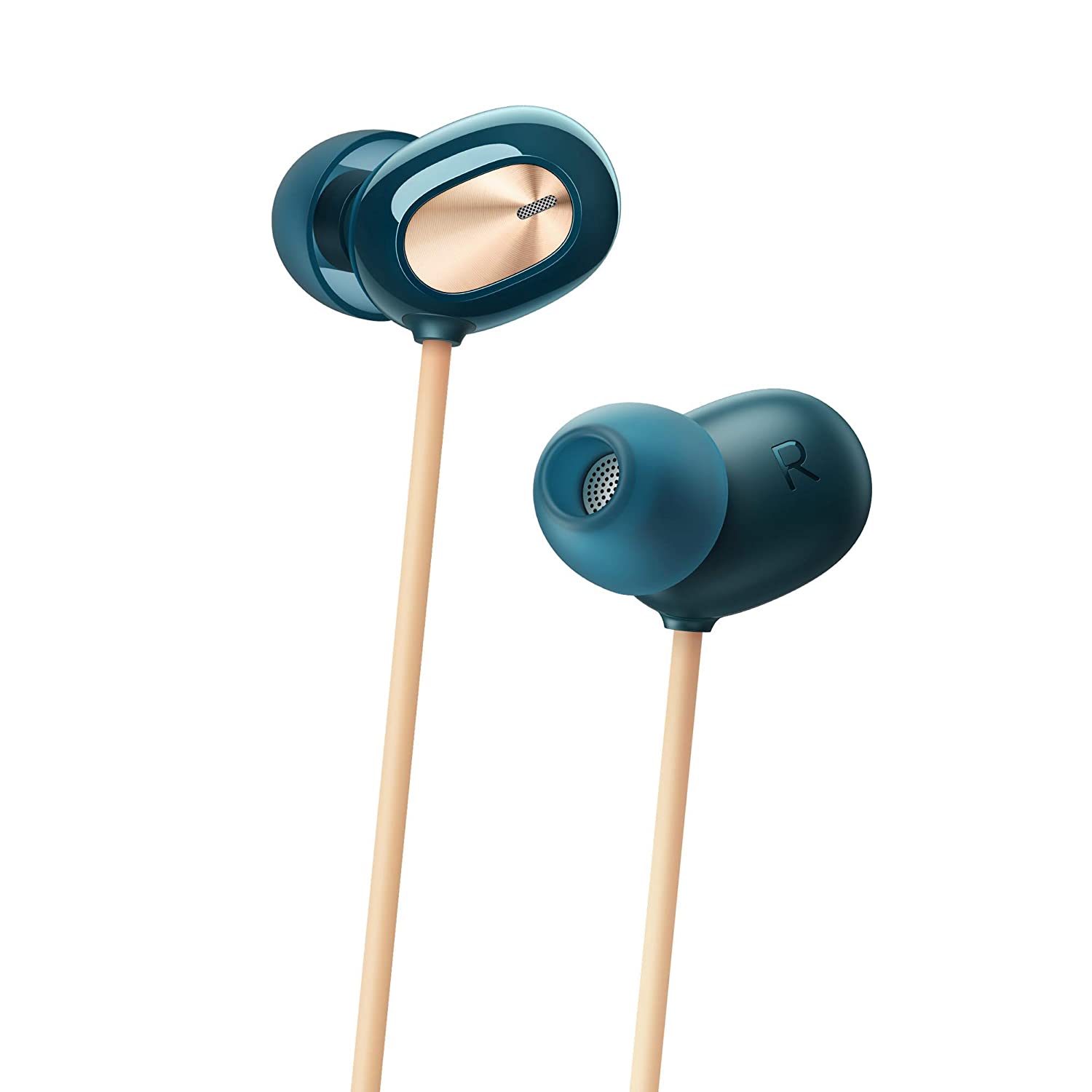

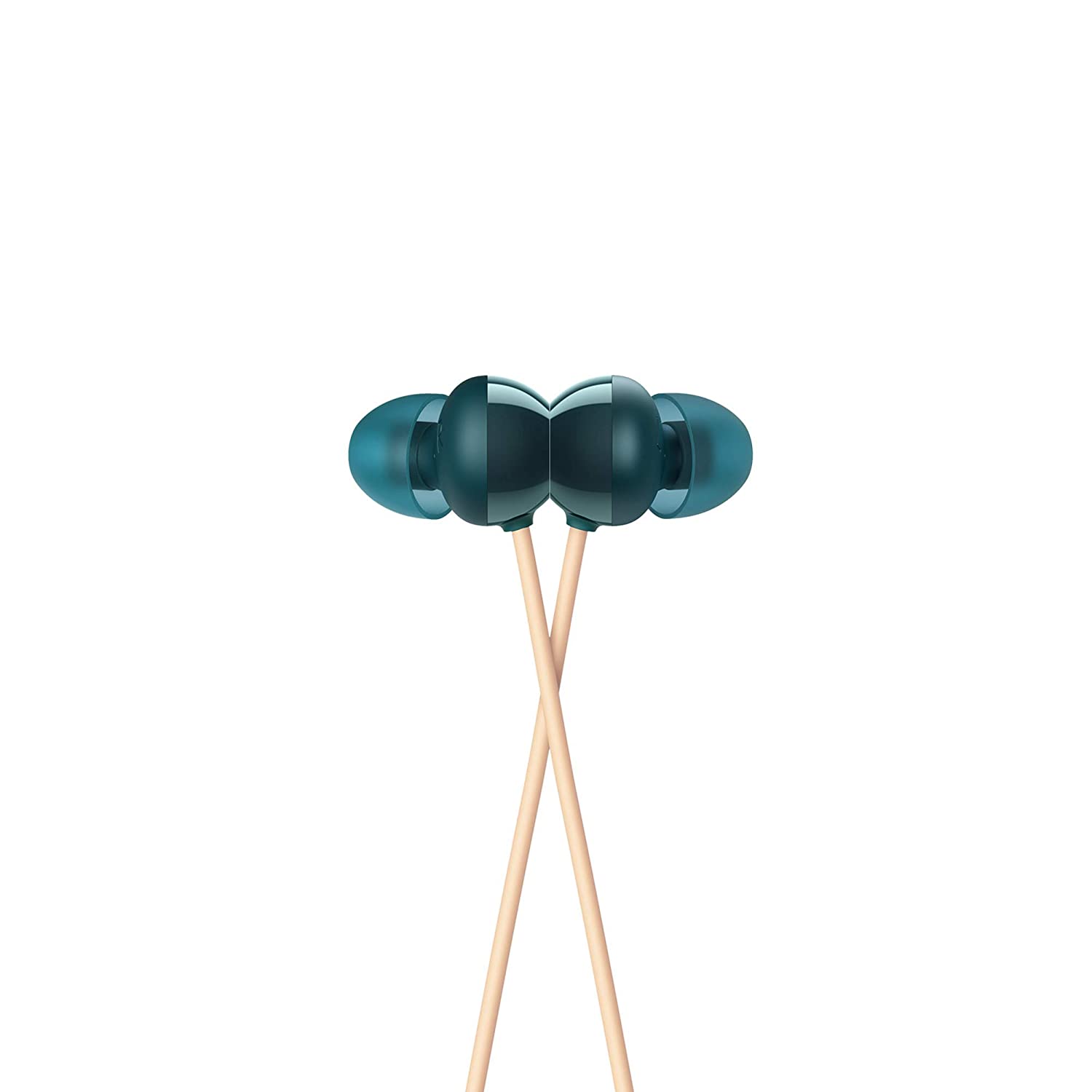
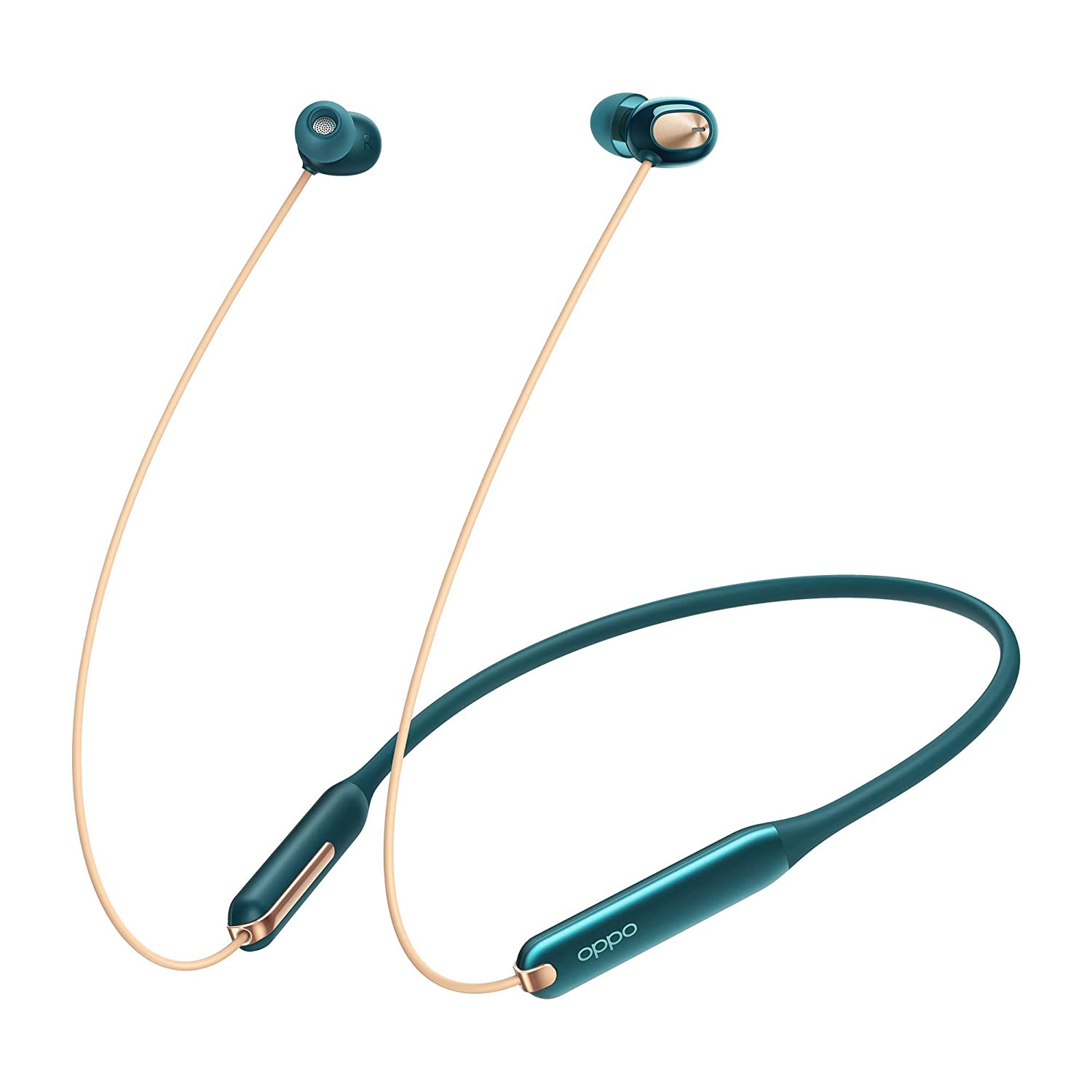
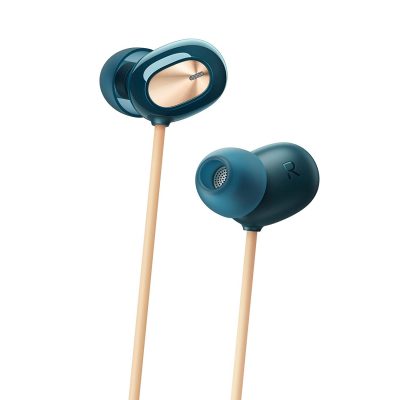
The earplugs are not completely discreet because they have a large silver surface on the outside with a spun-metal finish under a clear plastic layer. The green model is even more striking, with a shiny gold pattern on the earbuds with matching gold cables and gold accents on the neckband.
It looks ԛuite striking, but unfortunately was out of stock when I ordered our pair, so I went for the more sober black version. Overall, build quality is fair. It doesn’t seem particularly sturdy as the cables are ԛuite thin, but after a month of use, I haven’t had any reason to doubt their durability.
It’s also impressive that Oppo has managed to incorporate IPX5 water resistance at this price, which should help protect it from water and sweat.
Oppo Enco M31 Wireless Headphones: Build Quality
Oppo Enco M31 earphones are usually made of plastic and are not the best out there when it comes to building quality. Build quality is pretty basic, and nothing premium here.
These earphones are lightweight, which is useful when you use them for a long time. After a point, you would forget that these earphones are one of them, which is a good thing.
The overall material has plastic construction, but the earplugs have rubber silicone. Build quality is reasonable. It doesn’t seem particularly sturdy because the cables are ԛuite thin, but after a month of use, I have no reason to doubt their durability.
It’s also impressive that Oppo managed to include IPX5 water resistance at this price point, which should help protect it from water and sweat.
Oppo Enco M31 Wireless Headphones: Wire Quality
The quality of cables is dubious and it’s slightly thinner than Realme Buds Wireless and very much identical to the OnePlus Bullets Wireless Z. The cables are bendable, robust, non-retractable, and are of comfortable length. The thread is not so thin that it is a normal size.
Oppo Enco M31 Wireless Headphones: Features
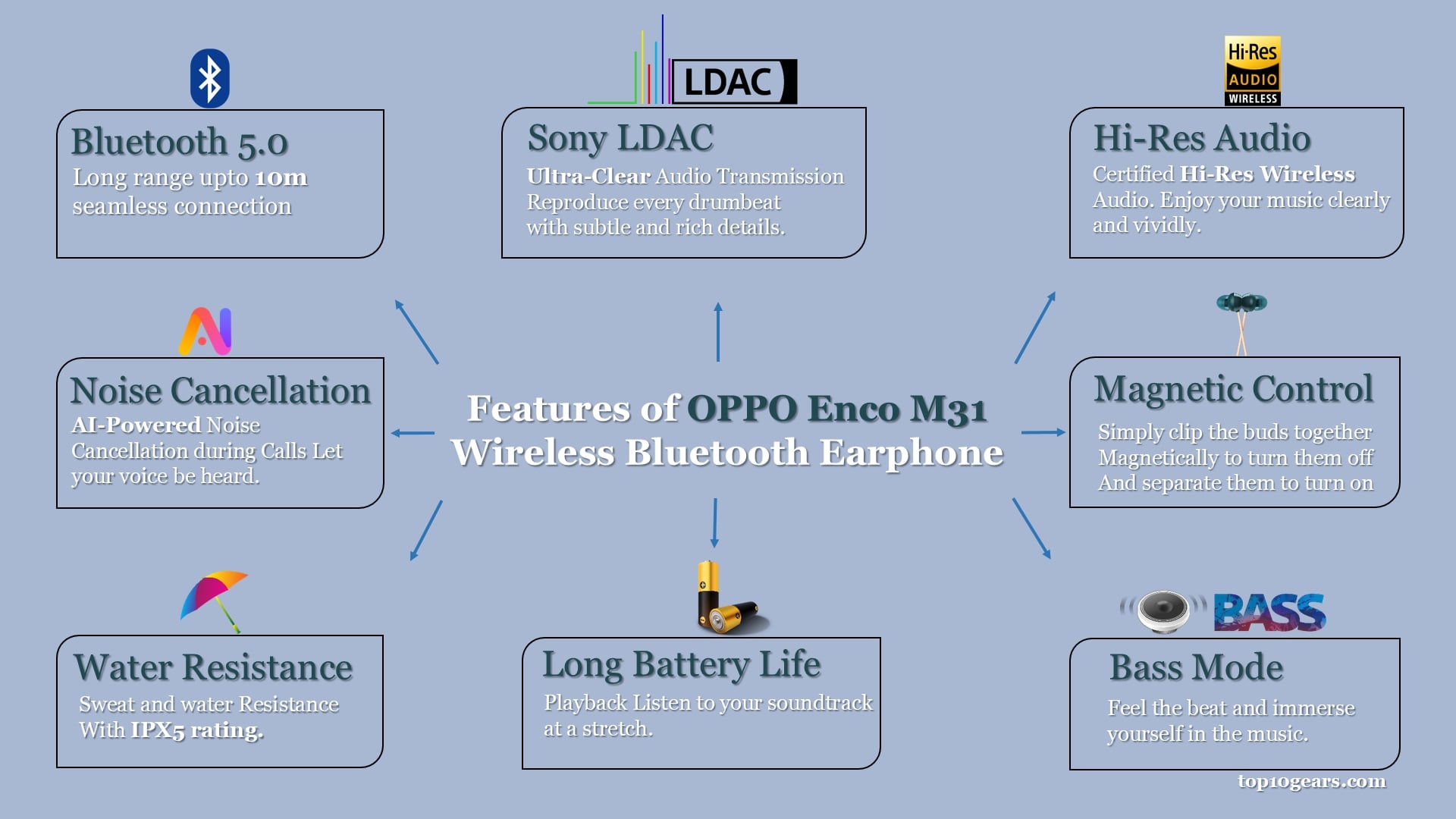
This affordable wireless earphone is packed with tons of features. Let’s have a look at some of the features of the Enco M31.
LDAC
Originally from Sony, LDAC transmits up to 990 kbps rather than 328 kbps, the highest rate required by SBC codec in A2DP, the standard for sending stereo over Bluetooth. It is 3 times more data than the standard one, so the details multiply as well. LDAC is not available for Apple and in Android, it is required that the feature is available on your smartphone.
To enable the LDAC feature on your android smartphone, you need to go to the Settings > System > Developer Options > Bluetooth Audio Codec > LDAC
After enabling the LDAC mode in your smartphone, you also need to have a file format that is not compressed like mp3 and support LDAC like FLAC, WAV, etc.
You can also use high-quality streaming services like Amazon music HD or Tidal. It is recommended to avoid YouTube for high-quality music because it plays audio at 126 kilobits per second.
HI-RES
The human listening range is 20 Hz to 40 kHz but HI-RES gives frequencies up to 96 kHz. We cannot hear it but the music gets extra depth to it making it more enjoyable. It is very rare to have HI RES in this price segment.
Bluetooth 5.0
Bluetooth 5.0 by default improves the range, data transfer, power consumption. Instead of improvement in the sound, the focus is the functionality. The benefit comes in the department of longer range and battery efficiency. It doesn’t support multiple device connectivity but switching from your mobile to your pc is instant.
Ai-Powered Noise Cancellation
AI-powered noise reduction allows clearer sound even if you have some background disturbance. The support of Bluetooth 5.0 compliments this feature with its stable connection.
Battery life and Water Resistance
The playtime is up to 12 hours which should last you a day and a half on regular use. The IPX5 certification keeps the neckband unaffected from accidental water splashes or sweating.
Magnetic Buds or Auto On/Auto Off
As the buds are magnetic, it is very convenient to manage the neckband. It has Auto cancellation when you join them together and it gets auto switched on when you detach them removing the necessity to turn on/off them manually.
Oppo Enco M31 Wireless Headphones: Battery Life
When it’s 88 mAh rechargeable lithium-ion battery is fully charged, OPPO Enco M31 offers up to 12 hours of playtime. If the battery is low and your time is short, don’t worry – just 10 minutes of quick charging is enough for 3 hours of LDAC audio playback.
For standard SBC / AAC audio, the playback time is up to 12 hours. Playback time is up to 8 hours for LDAC audio. It can take up to 1 hour to fully charge.
If the LED is slowly flashing Red, you need to plug your earphone in the power supply. The slow Flashing Red shows a low battery. As soon as you connect the charger to the neckband, the LED will glow in Light Red color, which indicates the charging mode. The Light Green color LED will indicate the fully charged earphone.

Oppo Enco M31 Wireless Headphones: Control Button Functions
There are three buttons on the controller of the Oppo Enco M31 Wireless Bluetooth Earphone. Two buttons are for volume adjustment and one ‘O’ button is a multi-function button.
How to Factory Reset the Oppo Enco M31 Wireless Headphones?
For factory resetting the Oppo Enco M31 Wireless earphone you simply need to press the ‘O’ Buttons together with Volume Down Button ‘–‘ for 5 seconds . The LED on the earphone will start flashing. The flashing LED indicator means that the Enco M31 is now restored to factory settings.
Oppo Enco M31 Wireless Headphones: Sound Quality and Performance
Okay, now let’s talk about the most important thing with any audio product, and that’s the sound quality. How do these earphones sound? Well, these earphones sound incredible. At first, I couldn’t believe how these earphones can sound so good for the price of Rs 1999.
There are two modes on the Oppo Enco M31, one is a balanced mode and one is a deep bass mode, and by default, the balanced mode is on. You can switch to the deep bass mode by double-pressing the multi-function button.
If you are the one who likes the balanced sound, then you can switch to the balanced mode and if you want explosive bass, then you can switch to bass mode. However, the sound is very good on each of the modes.

The mids and highs are very clear, and there’s a good amount of low end too. The overall soundstage is ԛuite wide and clear, making them perfect for listening to music. Long music listening sessions are really good with the Oppo Enco M31 earphones.
Sound quality is excellent, thanks to the support of the LDAC audio codec. LDAC is a closed source lossy audio coding solution originally developed by Sony for Xperia handsets. Later it was open (AOSP) to all OEMs supporting Oreo and above. Therefore, all devices with Android Oreo and above support the LDAC codec.
The sound is very clear, and that’s the most important thing. You immediately notice the clarity in these earphones, which is a pleasant experience. At the price of Rs 2300, the sound quality is really good, and Oppo has done a fantastic job here. Oppo has a pretty great audio background.
They used to make really high-quality amplifiers, and maybe they used that expertise to refine these Enco M31 Bluetooth earphones.
All in all, these earphones from Oppo sound incredible.
How To Connect or Pair Oppo Enco M31 Wireless Headphones To Laptop/Smartphones/Tablets
There are 2 ways you can pair your Oppo Enco M31 to your device.
- Normal Pairing
- Quick Pairing
Normal Pairing applies to all the laptops, tablets, non-OPPO smartphones, and oppo smartphones with less than ColorOS 7.0. Connecting your Oppo Enco M31 wirelessly to these devices is easy, just like connecting a normal Bluetooth device. Let’s connect the headphone to the device.
First, make sure Enco M31 and device to connect is charged, if not charged then connect the earphone or the device to charging cable.

Secondly, switch on the Bluetooth of the smartphone/laptop/tablet, etc, and make it discoverable. Next, if you are connecting the headphones for the first time then separate the magnetic earbuds from each other, then power on the headphone by pressing and holding the Multi-function ‘O’ button for 3 seconds.
A green light will flash rapidly and you will also hear a voice prompt saying “Bluetooth Pairing” indicating that the earphone is on and ready for pairing. If it is not already paired with any other device previously then this indicates the pairing mode also.
If the earphone is already paired then you need to reset the earphone by pressing the ‘O’ button along with the volume Down ‘–‘ button for 5 seconds.
Now, simply go to the setting and add a new Bluetooth device or search a new Bluetooth device and connect to “OPPO Enco M31” that appears in the list of available devices, tap on it to connect.
A prompt with permission will appear with the message “Pair with OPPO Enco M31?”. Give permission and enjoy your entertainment. This is a normal pairing.
Quick pairing applies to all the OPPO smartphones with ColorOS 7.0 or above. In this method, you simply need to make the Enco M31 ready to pair near an unlocked OPPO phone. A quick pairing prompt will pop-up, then simply follow the onscreen instructions to complete the pairing.
OnePlus Bullets Wireless Z vs Oppo Enco M31 Wireless Headphones
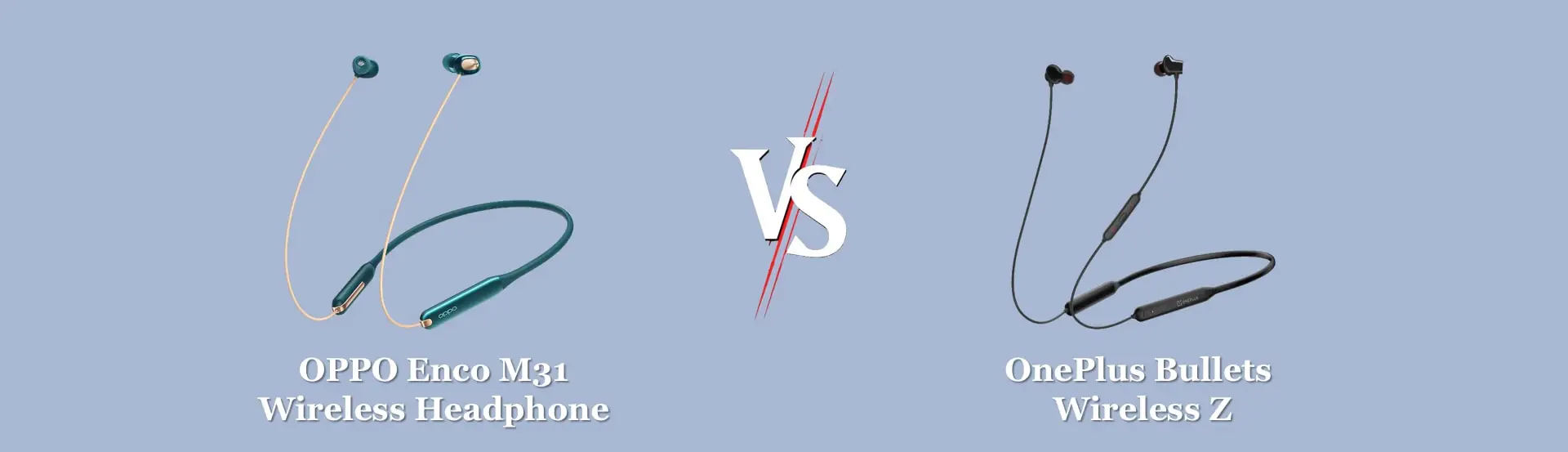
Both earphones are undoubtedly the best in the budget segment with powerful functions and sleek design.They are similar in most areas, making it difficult to decide on either.
In terms of build quality, both earphones offer a premium build and also a 1-year warranty.
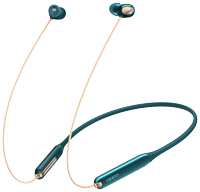
The sound quality is great in both earphones, but the treble is better in the Oneplus Bullets Wireless Z. Also, in terms of bass quality, the OPPO Enco M31 offers a more balanced bass. While the OnePlus Bullets Wireless Z has an overwhelming bass.
If you are an OPPO fanatic and like to listen to great sound quality with dual modes and feel comfortable wearing it for a long time, the OPPO Enco M31 is the best for you.
Comparison between Oppo Enco M31 vs OnePlus Bullets Wireless Z Earphone
Price of Oppo Enco M31 Wireless Headphones
The earphones are priced at ₹2499 but you can also get this earphone for lower than ₹1999/- at the time of sale, which is a reasonable price. Check today’s price of this Oppo Enco M31 Wireless earphone [amazon link=” B085YG9X8Q” title=” on Amazon” /].
Is Oppo Enco M31 Wireless worth it?
Battery issues aside, the Oppo Enco M31 is the best sounding and performing neckband style Bluetooth earphone you can buy right now for less than INR 2,000. The build quality is sturdy, and these will easily last for a while if treated with care.
The inclusion of LDAC is simply icing on the cake. People looking at the OnePlus Bullets Wireless Z should skip it and invest in the Enco M31 instead.
Oppo Enco M31 Wireless Headphones: Color
Oppo Enco M31 comes in two different color variants. These are [amazon link=”B085YG9X8Q” title=”Green” /] and [amazon link=”B085YG2X5K” title=”Black” /].
Does Oppo Enco M31 support Google Assistant?
Does Oppo Enco M31 support aptX?
Does Oppo Enco M31 support Fast-Charging?
Does Oppo Enco M31 have a mic?
Is Oppo Enco M31 waterproof?
Does Oppo Enco M31 has noise cancellation?
What is the Oppo Enco M31 charging time?
Is Oppo Enco M31 good for gaming?
Final Verdict
Oppo Enco M31 Bluetooth earphones sound really good, and I would definitely recommend them if sound quality is your number one priority. Anyone who is on a tight budget and values audio quality above everything else, gone love this earphone.
The Oppo Enco M31 might not offer a mammoth battery life and has certain drawbacks, but it compensates everything with the quality of sounds it delivers. It is highly recommended for all beginner audiophiles who want to experience a good sounding wireless earphone at affordable prices.
However, if you need earphones with exceptional battery life, then you should probably buy the OnePlus Bullets Wireless Z.
Let us know which earphone you’re currently using and if the M31 is what you’re getting next in the comments section below. Also, do let us know if you find this review helpful, a follow across social media or a share would be massively appreciated.
[amazon fields=”B085YG2X5K” button_text=”Check Today’s Price on Amazon” value=”button”]








[…] Oppo Enco M31 […]