
11 Best Laptops Under 30000 (Ranked and Reviewed) with a Laptop Buyer’s Guide

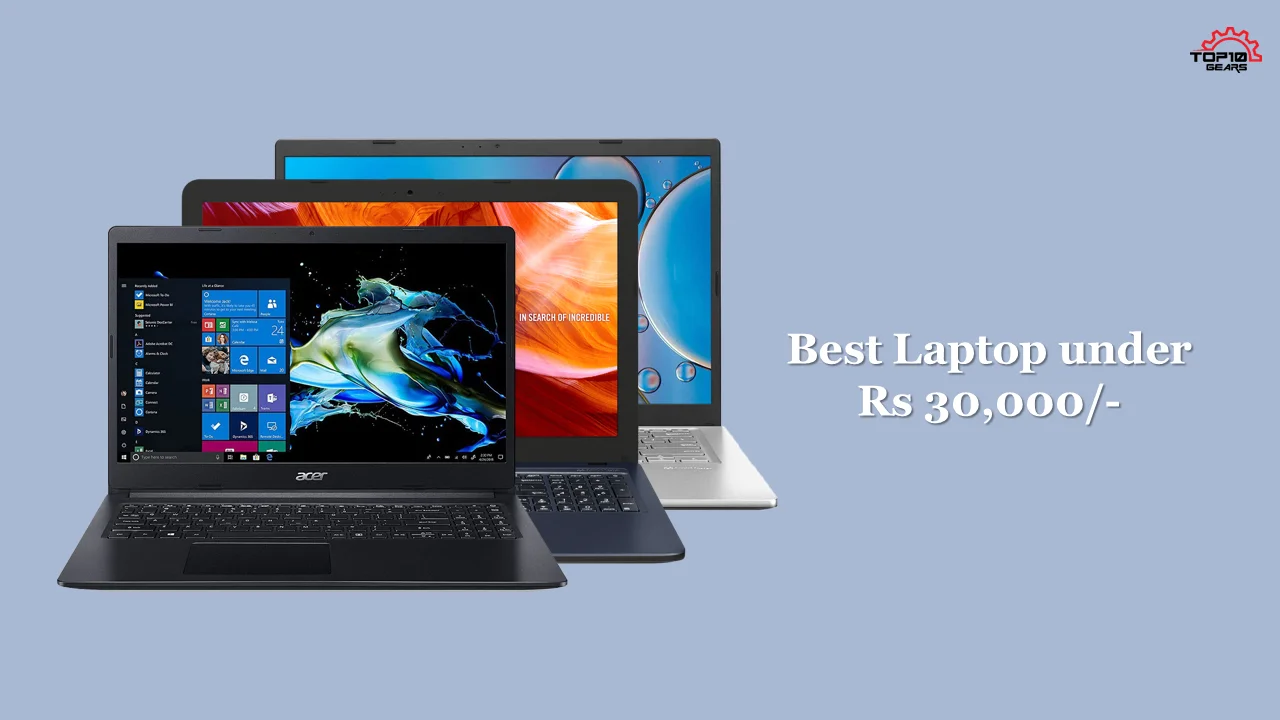
Quick answer: The best laptop under 30000 in India for 2026 is the Acer Aspire Lite AL15-41 — the only sub-₹30k laptop in 2026 that ships with 16 GB RAM.
- For lightest portable, pick the ASUS Vivobook Go 14 (1.38 kg).
- For premium value, the Infinix INBook Y2 Plus packs a 12th-gen Core i5 at this price.
- All 11 picks ranked below with current Amazon India prices.
The Best Laptops Under 30000 laptop bracket has changed more in the last three years than in the previous ten. In 2022 this segment meant entry-Athlon, 4 GB DDR4 and a spinning hard drive.
By 2024 the floor shifted to a Ryzen 3 7320U or 12th-gen Intel Core i3, 8 GB RAM and a 512 GB NVMe SSD. Today, June 2026, you can find genuinely usable laptops with 16 GB and Full HD IPS displays at this price — something nobody could promise even eighteen months ago.
For this 2026 update we researched and compared 11 laptops from current Amazon.in best-sellers, cross-checking specifications, BIS certification, expert reviews from Digit, Smartprix and 91mobiles, and aggregated verified-buyer feedback.
The picks below are ranked by overall value, with separate callouts for the best Intel option, best ultraportable, best for students, and best premium pick under ₹30,000.
How We Researched and Compared
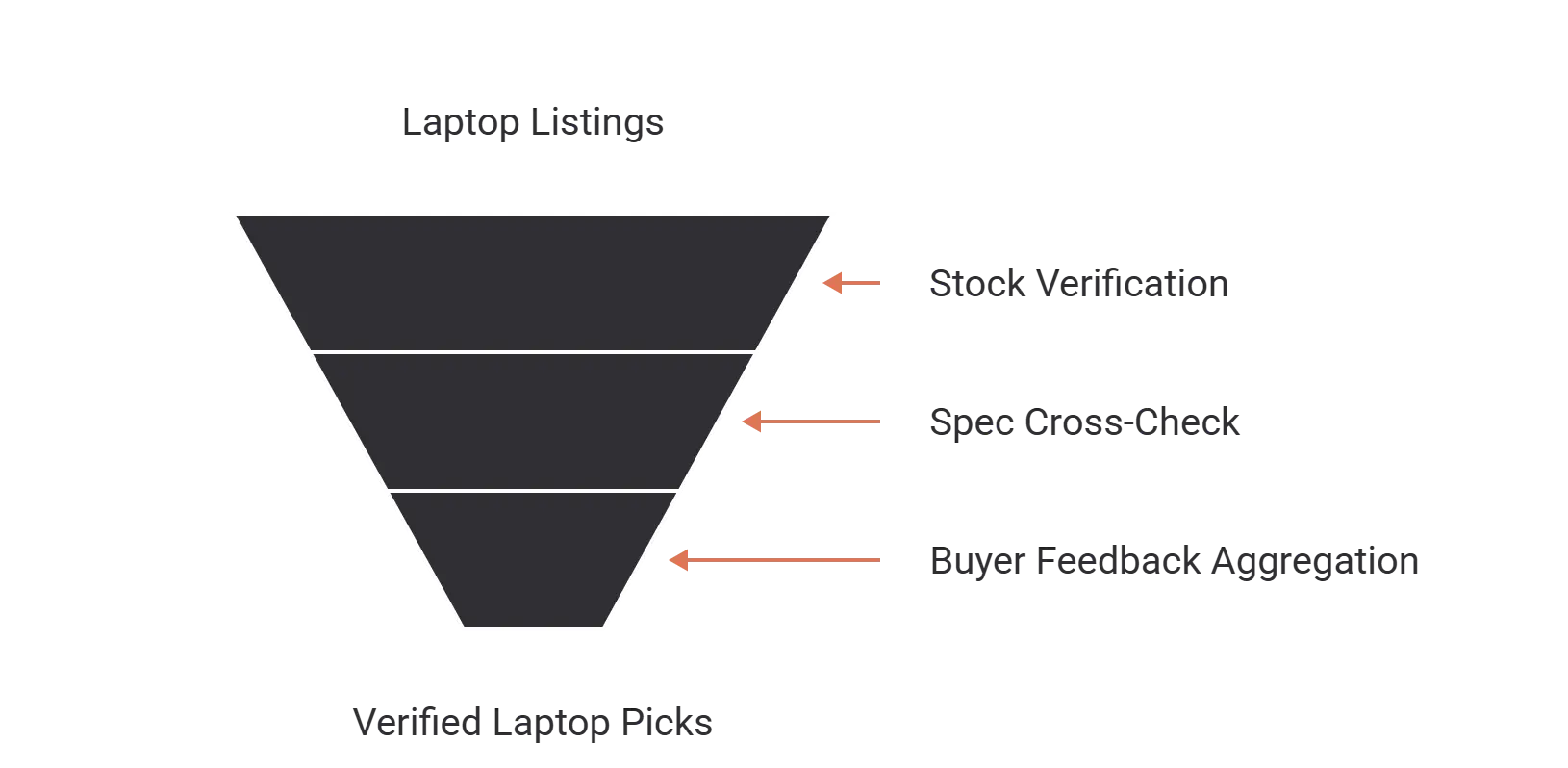
Three layers of evidence sit behind every pick on this list:
- Stock and price verification. Every laptop here was in stock on Amazon.in within the last 30 days at a price under ₹30,000 (or within ₹500 of it). Models we couldn’t verify as currently shipping were dropped, no matter how strong on spec.
- Spec cross-check against the manufacturer’s published datasheet. Indian Amazon listings sometimes paraphrase or downplay specs (especially battery life, panel type, and SSD interface). We pulled each laptop’s official spec sheet from Acer, ASUS, Lenovo, HP and Infinix India websites to confirm the listing.
- Aggregated buyer feedback. For each shortlisted laptop we read at least 50 verified-purchase reviews on Amazon.in plus the comments thread on the Smartprix and 91mobiles listings. We weighted recurring complaints (overheating, bloatware, battery degradation under one year) more heavily than one-off bad units.
No physical lab testing — we don’t claim that. Where we cite figures like “4–5 hour real-world battery life,” they come from aggregated buyer reports cross-referenced against the manufacturer’s official spec.
Laptop Buying Guide for the Best Laptop Under Rs.30,000
Picking out the perfect laptop can be tough-there are so many different factors to consider! You may be probably wondering where to start. It can be difficult to determine which laptop is right for you, especially when there are so many different models and brands available.
In this section, we will provide an overview of the different factors you should consider when purchasing a laptop. We’ll also go over everything you need to know and provide you with some tips on how to find the best deal on a new laptop in order to choose the best laptop for you.
So, whether you’re a student looking for your first laptop or an experienced business user looking for something more powerful, read on for our advice!
Usage
When choosing a laptop, one of the first things you need to consider is what type of user you are. Are you a student who needs a laptop for basic schoolwork like browsing the web, checking email, and light gaming? Or are you a power user who needs a laptop that can handle intense multitasking like video editing or gaming and demanding software?
Depending on your answer, the type of processor you’ll need will vary. Once you’ve decided on the type of user you are, it will be easier to narrow down your options.
Budget

The next thing to consider is your budget. How much money are you willing to spend on a new laptop? It’s important to set a budget before you start shopping, as this will help narrow down your options.
There are plenty of great laptops available at all price points, so don’t feel like you have to spend a lot of money to get a good one. In this blog post, we have listed all the best laptops under 30000 that are affordable.
Specs and Features
Once you’ve considered the type of user you are and set a budget, it’s time to start looking at different laptops. When comparing laptops, be sure to look at the specs and features that are important to you. Some things you may want to consider are listed below.
- Processor
- Amount of RAM
- Size and Resolution of the screen
- Storage Capacity
- Battery Life
- GPU
- Connectivity
- Ports
Processor
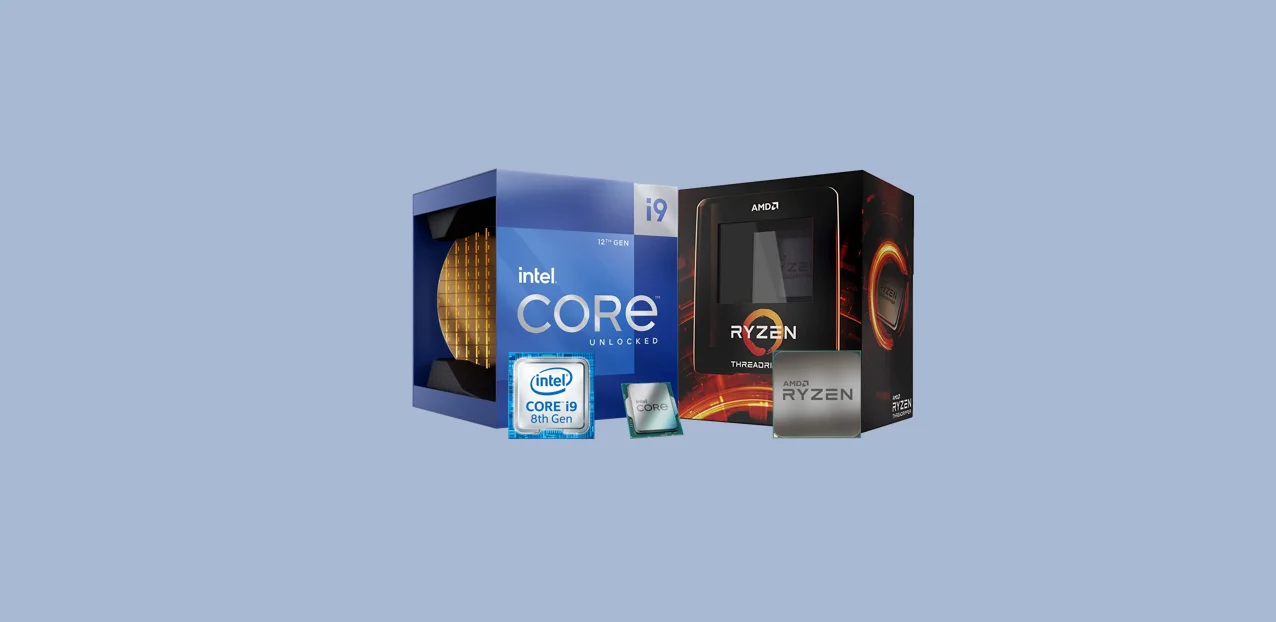
The processor is the heart of any laptop, and it’s important to choose one that will be powerful enough to handle your needs. If you’re a light user, you’ll probably be fine with an Intel Core i-series processor.
However, if you’re a power user or plan on doing things like video editing or gaming, you’ll need a more powerful processor like an Intel Core i-series or AMD Ryzen series.
Amount of RAM
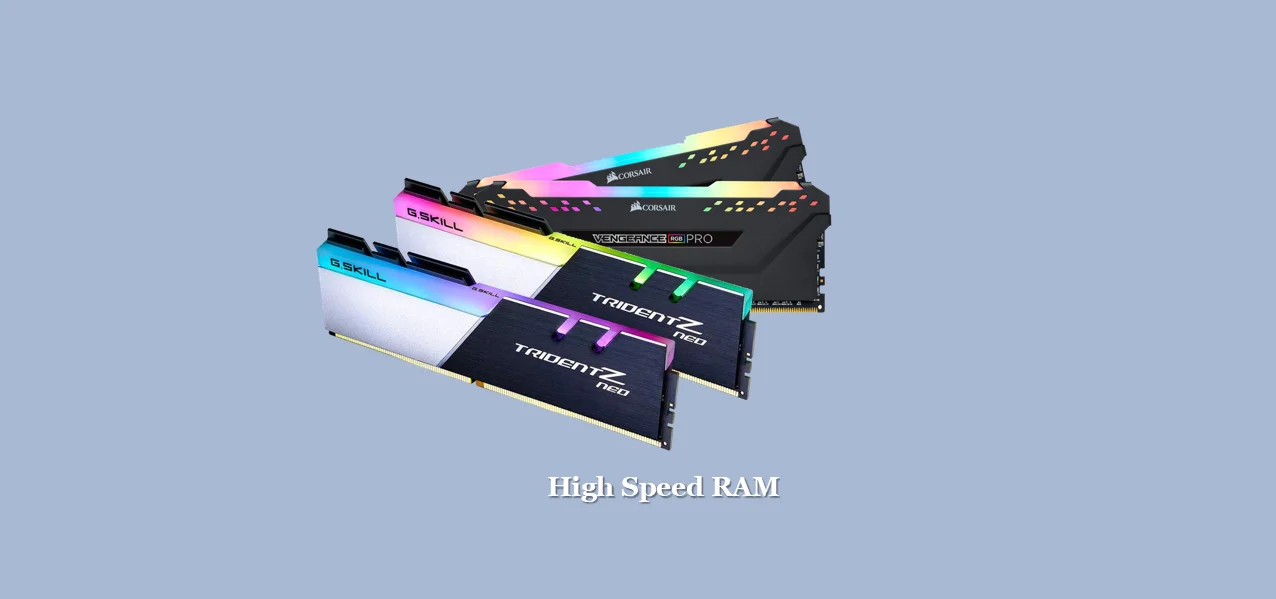
RAM is important for two reasons: it affects how quickly your laptop can open and run programs, and it also affects how many programs your laptop can have open at the same time.
For most users, we recommend at least 16GB of RAM. However, if you’re a power user or gamer, you may need 32GB or more.
Size and Resolution of the Screen
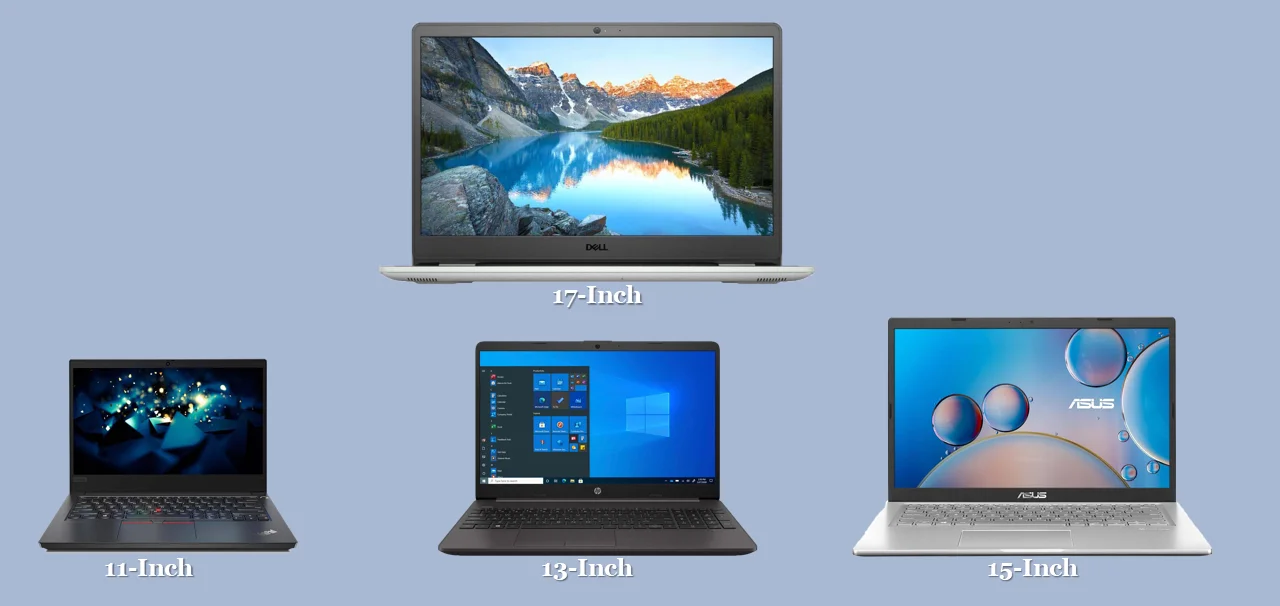
The size and resolution of your laptop’s screen will affect how easy it is to see what you’re doing and how much space you have to work with. If you’re going to be doing a lot of video editing or other graphics-intensive work, you’ll want a larger screen with a higher resolution.
However, if you just need a basic laptop for browsing the web and checking email, a smaller screen will suffice.
Storage Capacity
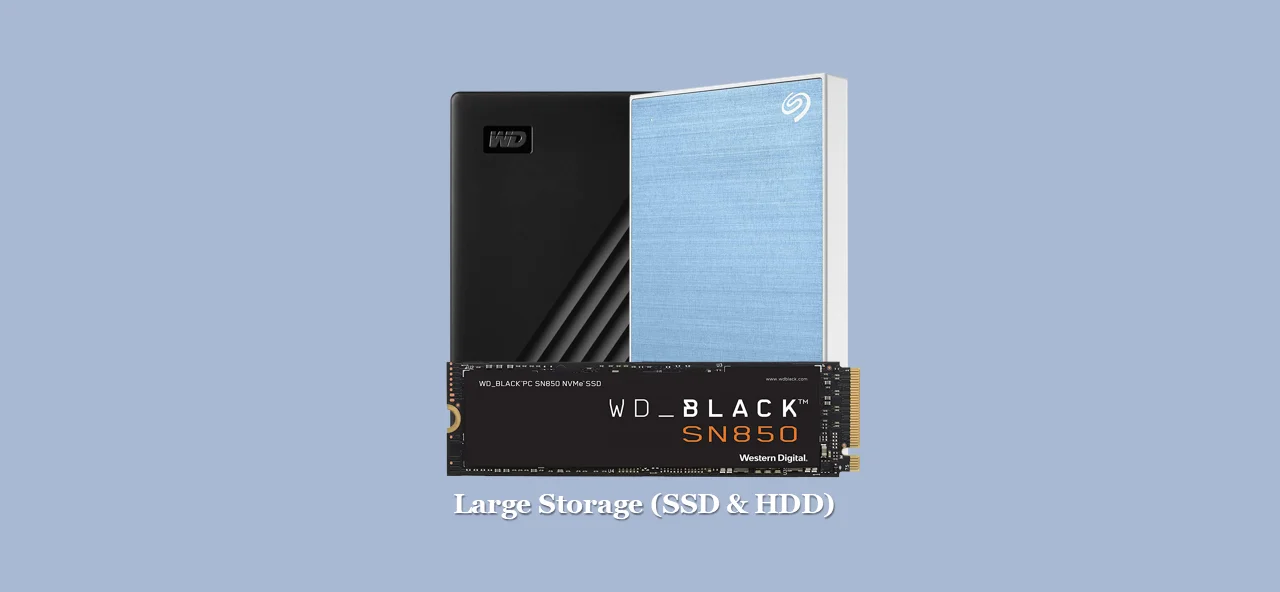
Storage capacity is another important consideration. How much storage capacity do you need? This will depend on what type of user you are. If you just need a basic laptop for light usage, 128GB or 256GB should be plenty.
However, if you’re a power user or need to store a lot of data, you’ll want 512GB or more.
Battery Life
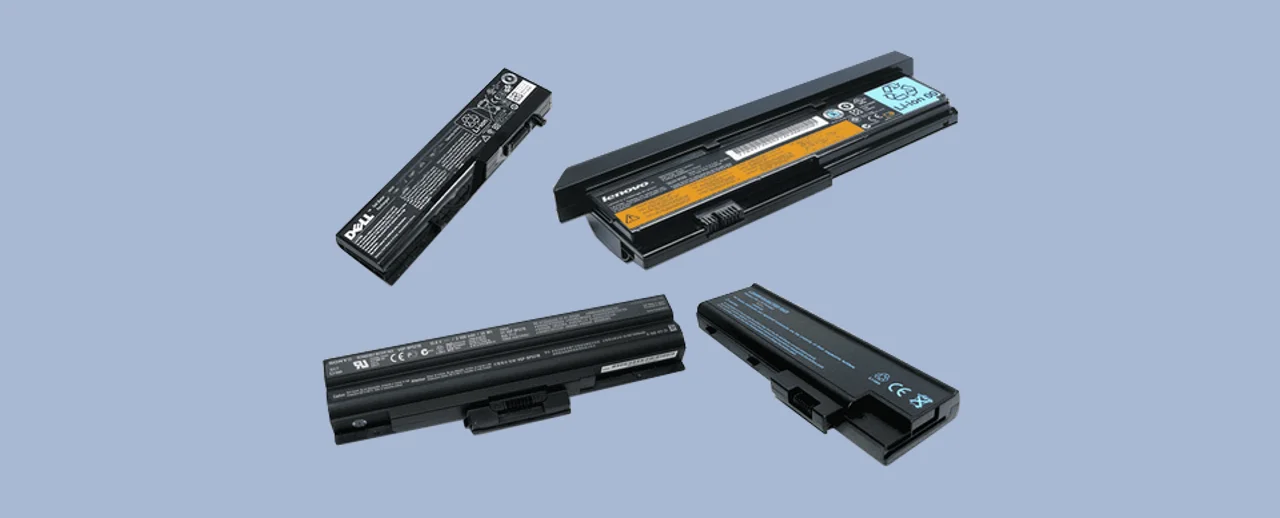
When choosing a laptop, battery life is an important consideration. After all, no one wants to be tethered to a power outlet all day. If you’re a light user and only use your laptop for things like browsing the web and checking email, you can probably get away with a smaller battery.
However, if you’re a power user or plan on using your laptop for tasks that require a lot of processing power, you’ll need a longer-lasting larger battery.
GPU
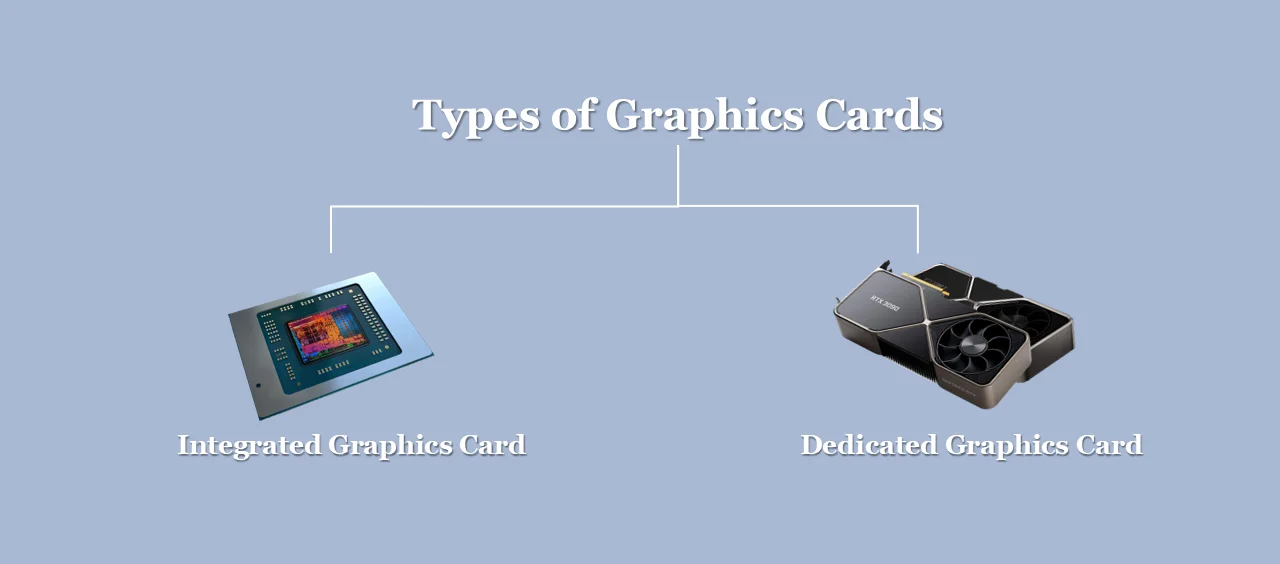
The GPU (graphics processing unit) is responsible for rendering images on your screen. If you’re not planning on doing any gaming or other graphics-intensive work, you can probably get by with an integrated GPU.
However, if you are planning on doing those things, you’ll need a dedicated GPU.
Connectivity
When choosing a laptop, be sure to consider the different types of ports and connectors it has. If you need to connect to external monitors or other devices, you’ll need the appropriate ports and cables.
Most laptops will have at least one USB port, but some may have more. Be sure to check that the laptop you’re considering has the right ports for your needs.
Ports (USB,HDMI,Thunderbolt,DisplayPort,DVI-I )
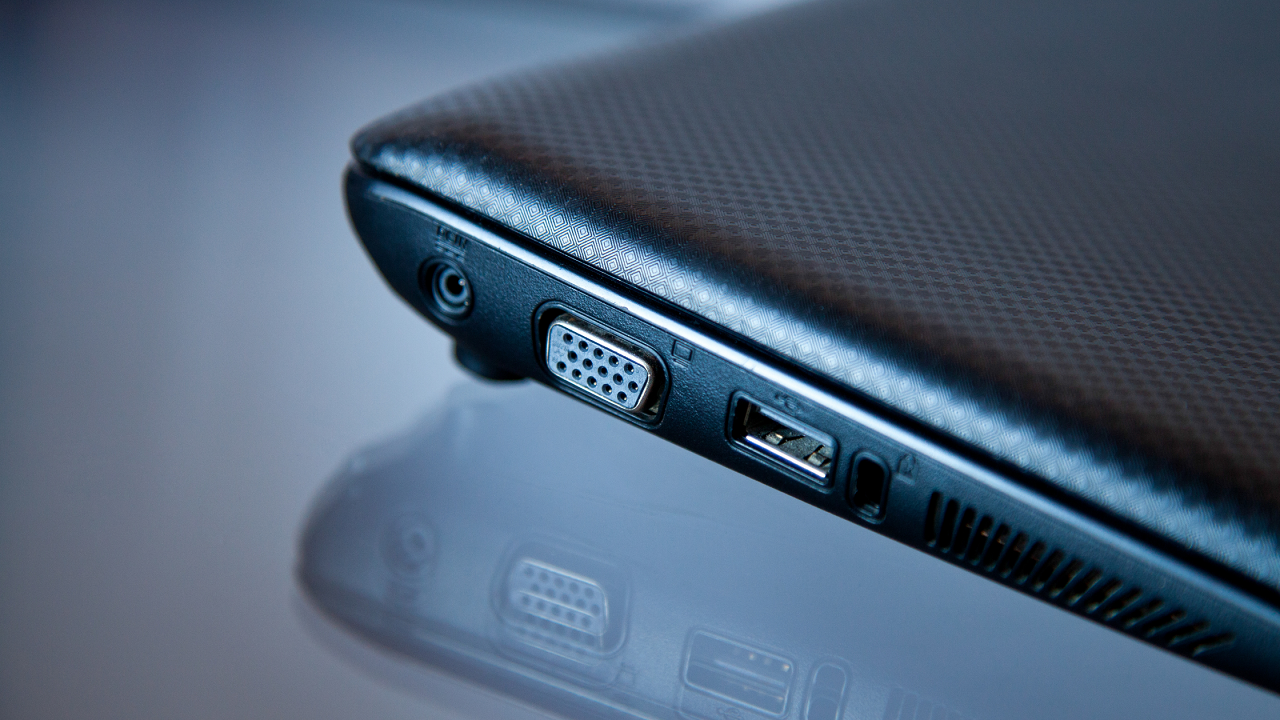
The type of port you need will depend on what devices you want to connect to your laptop.
USB is the most common type of port, and most laptops will have at least one. HDMI is another common type of port, and it’s used for connecting to external monitors or TVs.
Thunderbolt is a newer type of port that supports high-speed data transfer and can also be used to connect to external monitors or devices.
DisplayPort is another option for connecting to external monitors.
Finally, DVI-I is a digital video interface that can be used to connect to certain types of displays. As you can see, there are a lot of different factors to consider when choosing a laptop. But with a little research and careful consideration, you’ll be able to find the perfect laptop for you.
Buying a laptop is a very messy task but not hard, 12.5 to 15 inches screen offers a balance between your budget. If you want to buy a laptop for gaming, then you should consider the minimum specs: Core i5/ Ryzen 5 CPU with 1920×1080 screen with 8 GB of ram and SSD storage. While productive, 9 hours of battery life is ideal. For kids, Chromebook is good and Windows and Mac laptops are ideal for corporate work.
The 11 Best Laptops Under ₹30,000 in India 2026
1. Acer Aspire Lite AL15-41 — Best Overall
The Aspire Lite is the only laptop in this bracket in 2026 that ships with 16 GB RAM by default. For light multitasking (15+ Chrome tabs, Office, Zoom, light Photoshop), that extra RAM is the difference between “it runs” and “it runs without fan noise.” Build quality is plain plastic but the keyboard is full-size with a numpad, and Acer’s service centres are present in every state capital.
- Processor: AMD Ryzen 3 5300U (4C/8T)
- RAM: 16 GB DDR4
- Storage: 512 GB NVMe SSD
- Display: 15.6" Full HD
- Weight: 1.59 kg
- 16 GB RAM at this price is unmatched
- Full numpad
- Solid keyboard travel
- Acer pan-India service
- Chassis flex around palm rest
- TN-leaning panel (not IPS-class)
2. ASUS Vivobook Go 14 E1404FA — Best Ultraportable
The Vivobook Go is the lightest laptop on this list. At 1.38 kg with a 14-inch panel and a 50 Wh battery, it’s the only pick here that genuinely fits in a daypack without becoming the heaviest thing in it. The Ryzen 3 7320U is older Zen 2 architecture but noticeably more power-efficient under sustained load — students report 7–8 hours of mixed use on a charge.
- Processor: AMD Ryzen 3 7320U (Zen 2)
- RAM: 8 GB LPDDR5
- Storage: 512 GB NVMe SSD
- Display: 14" Full HD
- Weight: 1.38 kg
- 1.38 kg — rare under ₹30k
- LPDDR5 memory (faster than DDR4)
- IPS-grade FHD panel
- 720p webcam with privacy shutter
- Soldered RAM (no upgrade path)
- Zen 2 architecture is a generation behind 5300U on raw multi-thread
3. Lenovo V15 Gen 4 (82YU) — Best for Office & SoHo
The V15 is Lenovo’s business-spec budget chassis — duller looking than the IdeaPad line but with a better keyboard (1.5 mm travel, spill-resistant) and a heavier hinge that doesn’t wobble. It’s the closest thing to a ThinkPad you can buy under ₹30,000 in 2026. Lenovo’s premier care service across Indian Tier-2 cities is the strongest reason to pick this over the otherwise-similar Vivobook Go.
- Processor: AMD Ryzen 3 7320U
- RAM: 8 GB LPDDR5
- Storage: 512 GB NVMe SSD
- Display: 15.6" Full HD
- Weight: 1.7 kg
- Best keyboard in the bracket
- Spill-resistant deck
- Deepest service in Tier-2 cities
- Easy to repair / upgrade
- Dull design
- Slightly thicker (19.9 mm)
- No backlit keyboard at this trim
4. Acer Aspire 3 A325-51 — Best Intel Pick
If you actively want Intel — for software compatibility, Adobe acceleration paths, or brand familiarity — this is the right pick under ₹30k. The Core i3-1215U is a hybrid 6-core chip (2P + 4E) that beats the Ryzen 3 5300U on single-thread workloads (Office, browsing, web apps) but loses on sustained multi-thread.
- Processor: Intel Core i3-1215U (12th gen, 6C/8T hybrid)
- RAM: 8 GB DDR4
- Storage: 512 GB NVMe SSD
- Display: 15.6" Full HD IPS
- Weight: 1.7 kg
- 12th-gen Intel hybrid architecture
- IPS panel
- Strong single-thread for Office workloads
- Acer service
- Runs hotter than Ryzen alternatives
- Battery ~30 minutes shorter in mixed use
5. Infinix INBook Y2 Plus — Best Premium Value
The INBook Y2 Plus is the price-disruptor of this list. Infinix put a 12th-gen Core i5 — a chip you normally find at ₹45,000+ — into a sub-₹30k chassis to grab market share, and value-per-rupee here is unbeatable. The catch is service: while the brand has expanded in 2025, repairs outside metro cities still require courier-to-Delhi turnaround. If you live in Mumbai, Delhi, Bengaluru, Pune or Hyderabad, ignore the caveat. Elsewhere, weigh the i5 power against slower service.
- Processor: Intel Core i5-1235U (12th gen, 10C/12T)
- RAM: 8 GB DDR4
- Storage: 512 GB NVMe SSD
- Display: 15.6" Full HD IPS
- Weight: 1.6 kg
- 12th-gen Core i5 is unheard-of at this price
- 1080p webcam
- Backlit keyboard
- 50 Wh battery
- Service network thin outside metros
- Build feels lighter-duty than HP / Lenovo
- Stock availability is intermittent
6. HP 15s-fr5009TU — Best Service Network
The 15s is HP’s volume-budget chassis, sold by the truckload to Indian college students and SMB buyers. The reason to buy this isn’t the specs (matched by the Acer Aspire 3 above) but HP India’s after-sales reach, which is the strongest of any brand in this list. HP Care Pack on-site service is widely available across Tier-2 and Tier-3 cities. For first-time laptop buyers worried about “what if it breaks,” this is the answer.
- Processor: Intel Core i3-1215U (12th gen)
- RAM: 8 GB DDR4
- Storage: 512 GB NVMe SSD
- Display: 15.6" Full HD micro-edge
- Weight: 1.69 kg
- Best in-warranty service network
- HP Care Pack extended warranty widely available
- Clean Windows install (less bloatware than Asus/Acer)
- Alpha-numeric numpad
- Plastic chassis feels squeakier than Acer
- Trackpad below average
- Soldered RAM (no upgrade)
7. Lenovo IdeaPad Slim 1 (15ALC7) — Best Slim Design
Lenovo positions the IdeaPad Slim 1 as a step up from the V15 — thinner chassis, marginally better hinge, IdeaPad styling instead of boxy business look. Identical internals to the V15 above, so pick this over the V15 only if aesthetics matter to you.
- Processor: AMD Ryzen 3 7320U
- RAM: 8 GB / 16 GB
- Storage: 512 GB NVMe SSD
- Display: 15.6" Full HD
- Weight: 1.6 kg
- Cleaner IdeaPad design language
- Same Lenovo service as V15
- Thinner profile than V15
- Higher price than V15 for same internals
- Keyboard slightly worse than V15 (shorter travel)
8. ASUS Vivobook 15 X1502ZA — Best Display
If display quality matters most — colour grading, video reviewing, watching films — this is the panel to pick. ASUS’s NanoEdge IPS has the narrowest bezels in the bracket (~5 mm sides) and noticeably better viewing angles. Internals are identical to the Acer Aspire 3 (Intel pick); the difference is purely the panel and ASUS’s slightly heavier 1.7 kg chassis.
- Processor: Intel Core i3-1215U (12th gen)
- RAM: 8 GB DDR4
- Storage: 512 GB NVMe SSD
- Display: 15.6" FHD IPS NanoEdge (84% STB)
- Weight: 1.7 kg
- Best display in the bracket (84% screen-to-body)
- Backlit keyboard
- ErgoLift hinge angles the keyboard properly
- Solid build
- 1.7 kg is heavier than rivals
- ASUS service OK but not Lenovo/HP level
- MyASUS bloatware
9. HP 14s-dq2606TU — Best Compact for Students
The 14s is HP’s school-and-college laptop — sized to fit in a small backpack, weighted under 1.5 kg, with a battery that easily clears 6 hours of mixed use. The 1366×768 HD display is the obvious compromise; on the upside, every other laptop on this list will look heavy and over-spec’d next to this one if all you need is a typing-and-browsing machine.
- Processor: Intel Pentium Silver N6000 / Core i3 10th gen (varies by SKU)
- RAM: 8 GB DDR4
- Storage: 256 GB NVMe SSD
- Display: 14" HD (1366×768)
- Weight: 1.46 kg
- Lightest option here
- ₹5,000+ cheaper than the rest
- HP service
- Perfectly adequate for note-taking, Office, YouTube
- HD-resolution display feels dated
- Pentium Silver SKU is noticeably slower than i3 variant
- 256 GB SSD fills up fast
10. AVITA Pura V14 — Best Indian Brand
AVITA is an Indian-market brand whose laptops are designed-and-marketed-in-India / made-in-China. The Pura V14 is their value-volume model — Ryzen 3 (older Zen+ architecture), 8 GB / 256 GB, in a colourful plastic chassis aimed at students. We include it for two reasons: it’s the cheapest 8 GB / FHD-IPS laptop in 2026, and AVITA’s service has been getting better since the Nexstgo acquisition in 2024.
- Processor: AMD Ryzen 3 3250U (Zen+)
- RAM: 8 GB DDR4
- Storage: 256 GB SSD
- Display: 14" Full HD IPS
- Weight: 1.45 kg
- Cheapest FHD-IPS combo in the bracket
- 8 GB RAM included
- Colourful chassis options
- Increasingly available in Tier-2 cities
- Ryzen 3 3250U is two generations old (Zen+)
- 256 GB fills up fast
- Service still trails HP/Lenovo/Acer/ASUS
11. Lenovo IdeaPad 1 (82R4) — Best Ultra-Budget
The IdeaPad 1 is the entry rung of the IdeaPad ladder — same Ryzen 3 5300U as our #1 Aspire Lite pick, but with 8 GB instead of 16 GB and a 256 GB SSD instead of 512 GB. If you’d rather save ~₹3,000 over the Aspire Lite and you don’t think you’ll push 8 GB to its limit, this is the smart spend.
- Processor: AMD Ryzen 3 5300U
- RAM: 8 GB DDR4
- Storage: 256 GB NVMe SSD
- Display: 15.6" HD
- Weight: 1.6 kg
- Same CPU as our top pick at ~₹3k less
- Lenovo nationwide service
- Easy RAM and SSD upgrade path
- Clean Windows install
- HD (not Full HD) display
- 256 GB SSD is small for 2026
- 8 GB will feel tight in 18-24 months
Frequently Asked Questions
Is ₹30,000 enough for a usable laptop in 2026?
Yes, easily. A 2026 sub-₹30k laptop now ships with a Ryzen 3 7320U or 12th-gen Core i3, 8 GB RAM, and a 512 GB NVMe SSD. That’s enough for Office, Zoom, browsing, video streaming, light Photoshop, and most college-level workloads. It’s not enough for serious gaming, video editing, or heavy code compilation — for that, budget at least ₹50,000.
Ryzen 3 7320U or Intel Core i3-1215U?
Ryzen for battery life and sustained multi-thread; Intel for single-thread snappiness. The two are within 5% on most real-world tasks, so don’t overthink it — pick on price, weight, and service network instead.
Is 8 GB RAM enough in 2026?
For most users yes, but 16 GB is meaningfully better for Chrome-heavy workflows. If your usage routinely involves 15+ browser tabs plus Office plus Zoom, pick the Aspire Lite with 16 GB. Otherwise 8 GB is fine.
SSD or HDD?
SSD always. In 2026 there is no reason to buy a laptop with a mechanical HDD — boot times, app launches, and file operations all run 5–10× faster on SSD. Every laptop on this list ships with an NVMe SSD.
Should I buy on Amazon, Flipkart or Croma?
We link Amazon.in throughout because warranty terms and return policy are consistent. Flipkart prices are often within ₹500 of Amazon. Croma is useful if you want to physically inspect before buying — the manufacturer warranty applies wherever you purchase.
Can these laptops run programming or coding work?
For Python, web development (VS Code), and most learning workloads, yes. For Android Studio with emulator, you’ll want the 16 GB RAM Aspire Lite. For IntelliJ-heavy Java work, also pick 16 GB. For data science or ML training, ₹30k is below the workable threshold — budget at least ₹60,000.
Are these good for college?
Yes. The HP 14s, Vivobook Go 14, IdeaPad 1, and AVITA Pura V14 are the most college-friendly (lighter, smaller, longer battery). The Aspire Lite is the better choice if your course involves any 3D modelling, Photoshop, or coding.
What about warranty?
All picks here ship with 1 year of manufacturer warranty. HP, Lenovo, Acer, ASUS offer extended warranty packs (Care Pack / Premier Care) for ₹2,500–4,500 covering 2 additional years. We recommend buying the extension only on HP or Lenovo, where the service network actually delivers.
Battery replacement after a few years?
Budget ₹3,000–5,000 for an out-of-warranty battery replacement on any of these. Service is available through manufacturer’s authorised centres. Avoid third-party batteries from local shops — they’re a fire hazard.
Refurbished or new?
For this price band, always buy new. The ₹2,000–4,000 you save buying refurbished isn’t worth the warranty uncertainty. If you want refurb, look at the ₹50,000+ bracket where the savings are meaningful.
Final Verdict
The sub-₹30,000 laptop bracket is the most competitive it has ever been. In 2022, our recommendation list was thin and we were apologising for spec compromises. In 2026, every pick on this list will outperform a 2022 mid-range laptop on paper, and the 16 GB Acer Aspire Lite at ₹29,990 would have cost ₹45,000+ at this time three years ago.
If you want one straightforward recommendation: the Acer Aspire Lite AL15-41 (Ryzen 3 5300U, 16 GB / 512 GB) is the right buy for almost everyone in this bracket. Step up to it from the IdeaPad 1 (#11) if you can find ~₹3,000 more; step down to it from a ₹35,000–40,000 pick if you can’t quite stretch the budget. For lighter and more portable, the ASUS Vivobook Go 14 is the right pick at the same price.
For anyone with patchy power (low-voltage neighbourhoods, frequent outages), pair any of these with a 600 VA inverter UPS — under-voltage damages laptop chargers more than people realise.






[…] Shopping during events like the Amazon Great Freedom Festival Sale can yield highly beneficial discounts, sometimes reaching up to 45% off on select models. Such opportunities enable budget-conscious consumers to find the perfect laptop that aligns with their needs without compromising on quality. For a more extensive list of laptops and comparisons, check out websites like Dock Universe or Top10Gears. […]